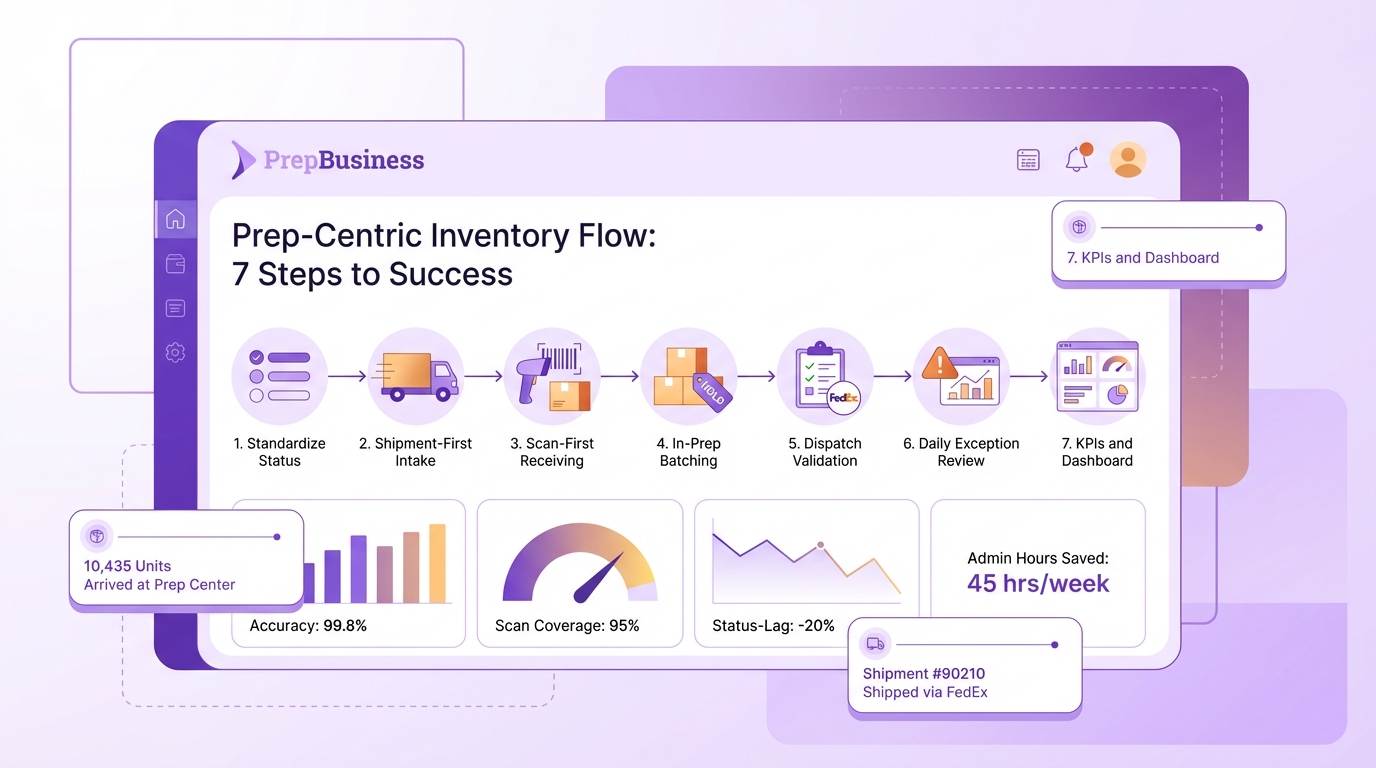
Prep-Centric Inventory Flow: 7 Steps to Success
Miscounts rarely come from bad people. They come from a workflow that splits one job into three disconnected ones: receiving, including inbound shipments, prep, and dispatch. When those steps live in different tools, the truth fractures. People guess. Counts drift. Then everyone emails to reconcile memories.
You can fix it by making the shipment the single record from intake to tracking. Create it up front, scan into it, move it forward, and close it with labels and carrier info. Clients see the same status your team sees, so the “Is it out yet?” messages stop. That is a calmer prep room.
Key Takeaways:
Why Miscounts Keep Happening In Prep Rooms
Miscounts happen because your floor treats receiving, prep, and dispatch as separate jobs instead of one continuous record. A prep‑centric flow connects those steps in a single shipment, which removes ambiguity and duplicate entry. Think of one shipment created, scanned, prepped, and shipped with tracking, end to end.
What Is Prep‑Centric Inventory Flow and Why It Matters
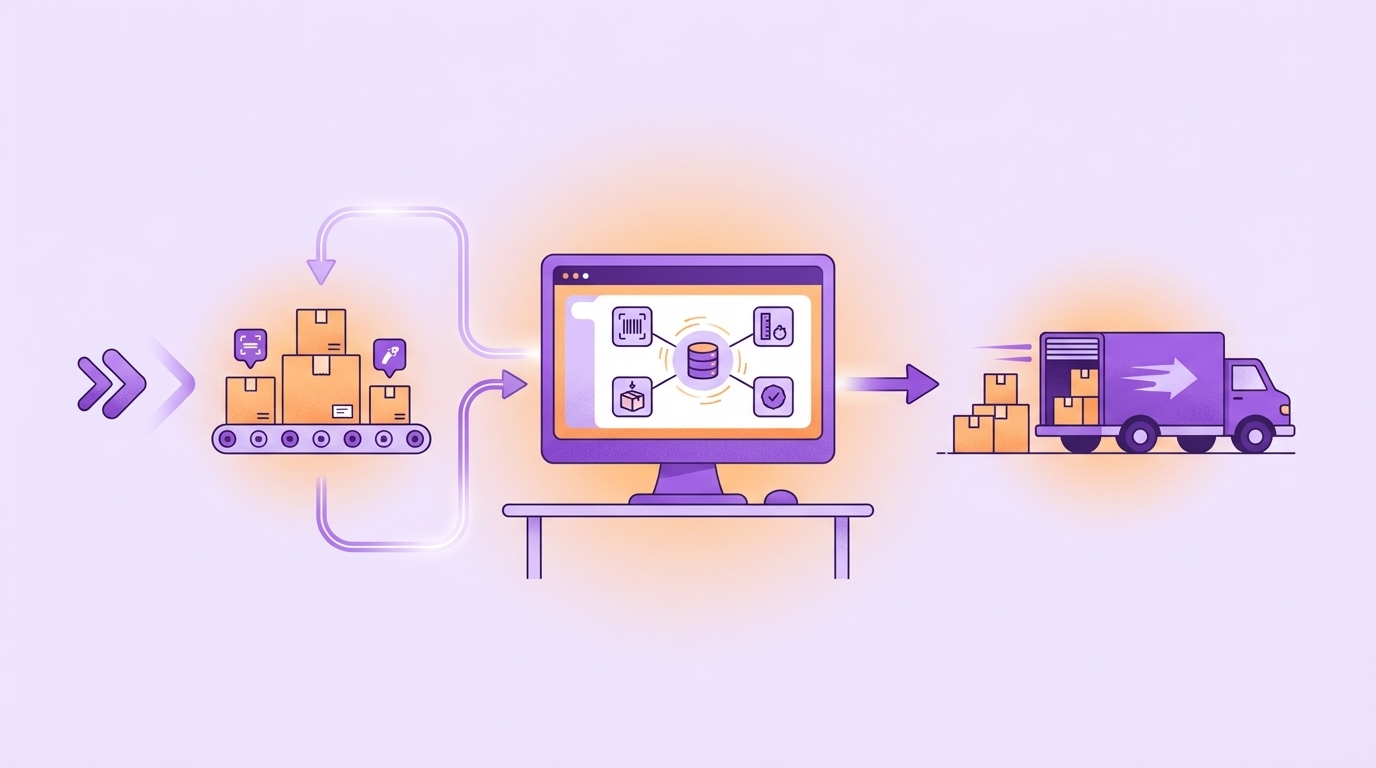
A prep‑centric flow means receiving → prep → dispatch runs on one live shipment record that your team and clients can see. That single source of truth replaces partial memories and sticky notes, so counts do not drift over time. Picture a shipment created on arrival, scanned at intake, then closed with labels and tracking, all in one place.
When the shipment exists upfront, intake is not guesswork. Operators scan into the record, not a side sheet. You cut inbox noise because statuses advance as work advances. Fewer interruptions means more boxes moving.
If you want a quick primer on anchoring intake, walk through the inbound workflow. To keep signals clean as work moves, lean on purpose-built inventory tracking instead of fragile spreadsheets. Research on inventory accuracy routinely shows that system discipline beats manual reconciliation over time, especially under volume spikes, see process control findings in warehousing.
Where Miscounts Originate in a Prep Centre
Miscounts start at three hotspots. First, intake without an anchored shipment creates “floating boxes” and side tallies that never reconcile. Second, receiving without scanning turns best guesses into facts. Third, prep work without a hold mechanism lets half-finished items slip into “done” counts.
Shadow systems are another culprit. A personal notepad or a quick side sheet feels fast, but it fragments the truth. Standardize what “received,” “in prep,” and “shipped” mean, and where that data lives. Kill optional paths that create drift. Before dispatch, reconcile box content and tracking inside the shipment. Memory is not a control. A simple, enforced scan-to-ship checklist prevents miss-shipments and disputed counts. Studies on structured workflows show reduced variance and rework once teams enforce standard definitions and checkpoints, see structured process impact on accuracy.
Miscounts Are A Process Design Problem, Not A People Problem
, the entry/exit criteria, and who moves the work forward. When your taxonomy matches your prep room, new hires ramp faster and veterans stop reconciling exceptions by hand.

Step 1: Standardize Status Taxonomy (Received → In Prep → Ready for Dispatch → Shipped)
Define what each status means and who advances it. Then put that language everywhere, from the portal to pick lists. Here is a pattern that works:
Keep a five‑minute standup: “Which shipments are stuck between received and in prep, and why?” If a definition is fuzzy, fix the definition the same day. Status drift is a design bug. Tie the taxonomy to how work moves across shipment creation and stabilize multi‑client behavior with consistent account configuration. Research on visual management in operations shows standard states make bottlenecks visible and actionable, see state standardization effects.
Who Benefits Most from a Status Taxonomy
Everyone. New hires map the room faster because the software mirrors intake, count, prep, label, pack, and ship. Leads prioritize by status lag instead of gut feel, so you clear blockers sooner. Finance benefits when payment events align to states, for example, apply services during “in prep” and invoice at “shipped.” Clients stop asking because the portal shows a status that means the same thing every time. The net effect is cleaner handoffs and fewer surprises.
The Hidden Costs Of Spreadsheet Drift And Status‑Chasing
Status‑chasing and spreadsheet drift tax every hour on your floor. The cost is not just emails. It is rework, reconciliation, and delays that compound as volume rises. Visibility, not more messaging, removes that tax.

How Much Does Status‑Chasing Really Cost?
Run the math. Let’s pretend you ship 100 client shipments per week. Two routine status checks per shipment times three minutes to confirm and reply equals 600 minutes, or 10 hours, gone. That time recycles information. It does not move shipments forward.
You also pay hidden penalties:
Replace optional paths with a single shipment record and self‑serve visibility. It lowers noise and increases throughput. For context on administrative burden in operations, see the time‑on‑task patterns documented in workflow fragmentation research.
Step 2: Shipment‑First Intake — Create Shipments at Arrival to Anchor Counts
At arrival, create or locate the shipment in your system before anyone starts counting. That record is the anchor for receiving scans, discrepancy notes, and dispatch. No floating boxes. If a client created it in InventoryLab, import the shipment ID to maintain continuity. Here is how teams keep intake clean:
To maintain continuity from the client’s system, review amazon imports. To keep provenance clean when consolidation is necessary, align policies with shipment organization.
Your Team Deserves A Calm, Single Source Of Truth
You want the floor quiet and focused. A scan‑first, shipment‑anchored workflow gives you that. It turns “who knows the truth?” into “the system shows the truth,” which is a very different day.
Step 3: Scan‑First Receiving — Barcode Layout, Scan Protocols, and Atomic Count Capture
Scan‑first is a simple rule with outsized impact. Only scanned units count toward actual received. Set a staging table with two bins, “to scan” and “scanned.” If an item does not scan, fix identifiers before it enters the count. Then print exactly what you scanned, no more, no less.
Lay out the space for speed. Place a scan station with a label printer near the inbound pallet spot, and reserve shelving for items “in prep.” Do not park label batches in email drafts. Print them from the shipment so quantities stay matched. The portal should increment counts as you scan, and log discrepancies with notes or photos. This is how you avoid recounts later. For a deeper dive, see evidence on barcoding and data integrity.
Operationally, tie scanning to printing. Start with label printing, then keep printers healthy with a print manager that shows device status and queues. That way, you never pause receiving to troubleshoot a label.
When Should You Enforce Scan‑First?
Always for mixed‑SKU cartons and fast movers. For sealed master cases with verified inner counts, scan the master and audit randomly. If an audit fails, revert that SKU to unit‑level scanning until it proves clean again.
During peaks, keep scan‑first and add a “check‑in” step when cartons hit the dock. Mark shipments checked in to buy time, then complete receiving within your SLA. Do not revert to manual tallies. Increase throughput with additional scan stations or a runner, not with exceptions. For damaged or short items, route them immediately to the “fix items” workflow so unsellables do not pollute sellable counts.
Build A Prep‑Centric Flow That Locks In Accuracy
Accuracy is not a single moment. It is the result of small decisions across prep. Batching, hold‑tags, and a scan‑to‑ship checklist keep counts honest from the bench to the outbound door.
Step 4: In‑Prep Batching and Hold‑Tags — Avoid Double‑Counting During Services
Move received units into “in prep” as a batch. Assign services like bubble wrap, poly, or labeling at the item or shipment level. Use visible hold‑tags, both physical and in‑system, to mark partials. Counts should not advance until services are complete. This avoids double‑counting when work spans shifts.
If you bundle or ship by case, define bundles and case sizes at the item level so batching respects real pack quantities. If a bundle or case size is missing, stop and configure it before you proceed. That prevents split shipments and mismatched box content later. Keep item details current with inventory updates so the floor is not inventing rules mid‑prep.
Separate “active prep” from “awaiting client decision.” Park damage or special requests in a clearly tagged area and list, not in the middle of a working batch. Surface these exceptions in a daily loop so they do not stall throughput.
Step 5: Dispatch Validation — Scan‑to‑Ship Checklist and Automated Tracking Capture
Make dispatch a checklist, not a memory test. Interjection. The fewer judgement calls at the door, the better your counts stay.
Make “ready for dispatch” mean box contents finalized and labels printed. Move to “shipped” only when tracking sits in the shipment. For case forwarding, switch mode before sending so item‑level services do not apply to the shipment. Keep the shipping record complete inside shipping tracking so nothing lives in someone’s inbox.
How PrepBusiness Turns Receiving→Prep→Dispatch Into One Truth
A prep‑centric flow needs software that reflects your room, not a generic warehouse. PrepBusiness does this by centralizing orders, shipments, inventory states, and payments in one client‑visible workflow. That is how you turn down the inbox and turn up the floor.
Step 6: Daily Exception Review — Triage Stuck Statuses, Short Counts, and Mismatches
Run a 15‑minute exception loop. Filter shipments stuck beyond your SLA. Review damaged or lost items in the fix queue. Reconcile variances using the in‑system tool and record reasons. Assign owners immediately. That stops edge cases from snowballing into month‑end write‑offs.
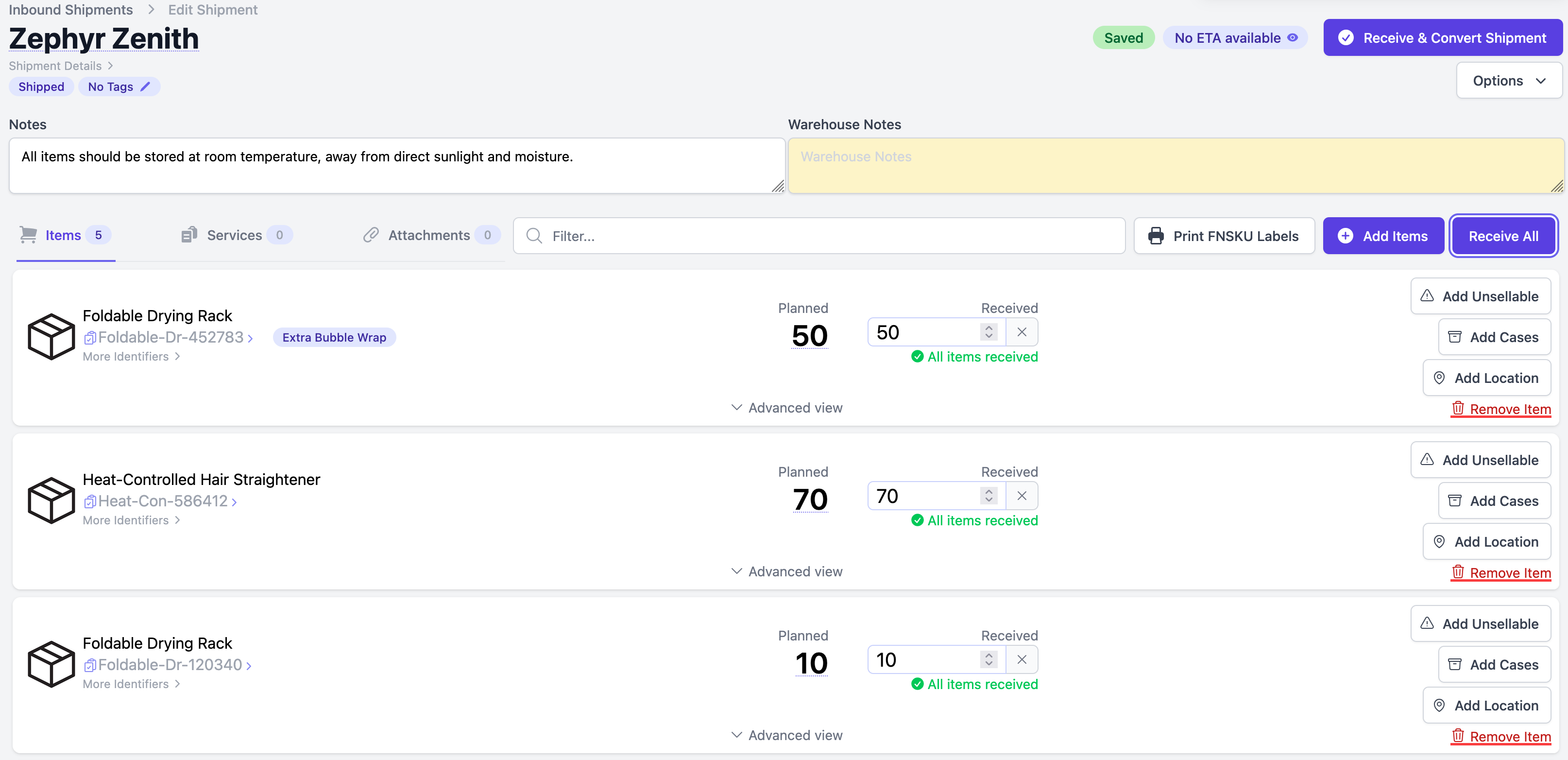
Use notifications to surface what matters. Staff see new inbound shipments and credentials issues. Clients receive receiving reports and invoice notices without you drafting emails. Keep the audit trail inside the system so finance can trace any question back to the shipment and its services. Tie billing to work performed with billing accuracy, and keep the operational record clean with inventory tracking.
Step 7: KPIs and Dashboard — Accuracy, Scan Coverage, Status‑Lag, Admin Hours Saved
Track the numbers that prove the process is working. Inventory accuracy, expected vs actual. Scan coverage as a percentage of units scanned. Status lag by step, measured in median hours. Add a human metric, admin hours saved, by counting reductions in routine status messages after clients adopt the portal and after tracking is captured in‑system.
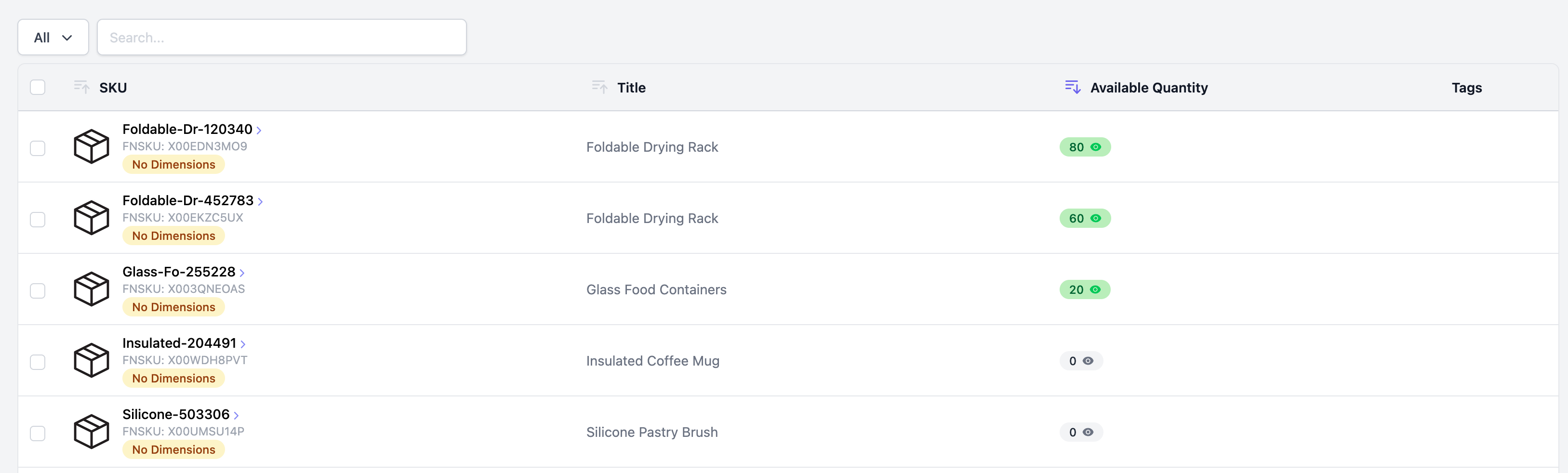
Visualize weekly accuracy trends, scan coverage by SKU cohort, median status lag by step, exceptions resolved vs created, and invoices finalized vs returned. Review it every Friday. Pick one small improvement, ship it on Monday. That rhythm compounds. If you want a principles backdrop, see the role of standardized metrics in process control in operations research on KPI design.
What PrepBusiness Automates for You
maintains a live view from receiving to prep to dispatch, so counts do not rely on memory or side sheets.
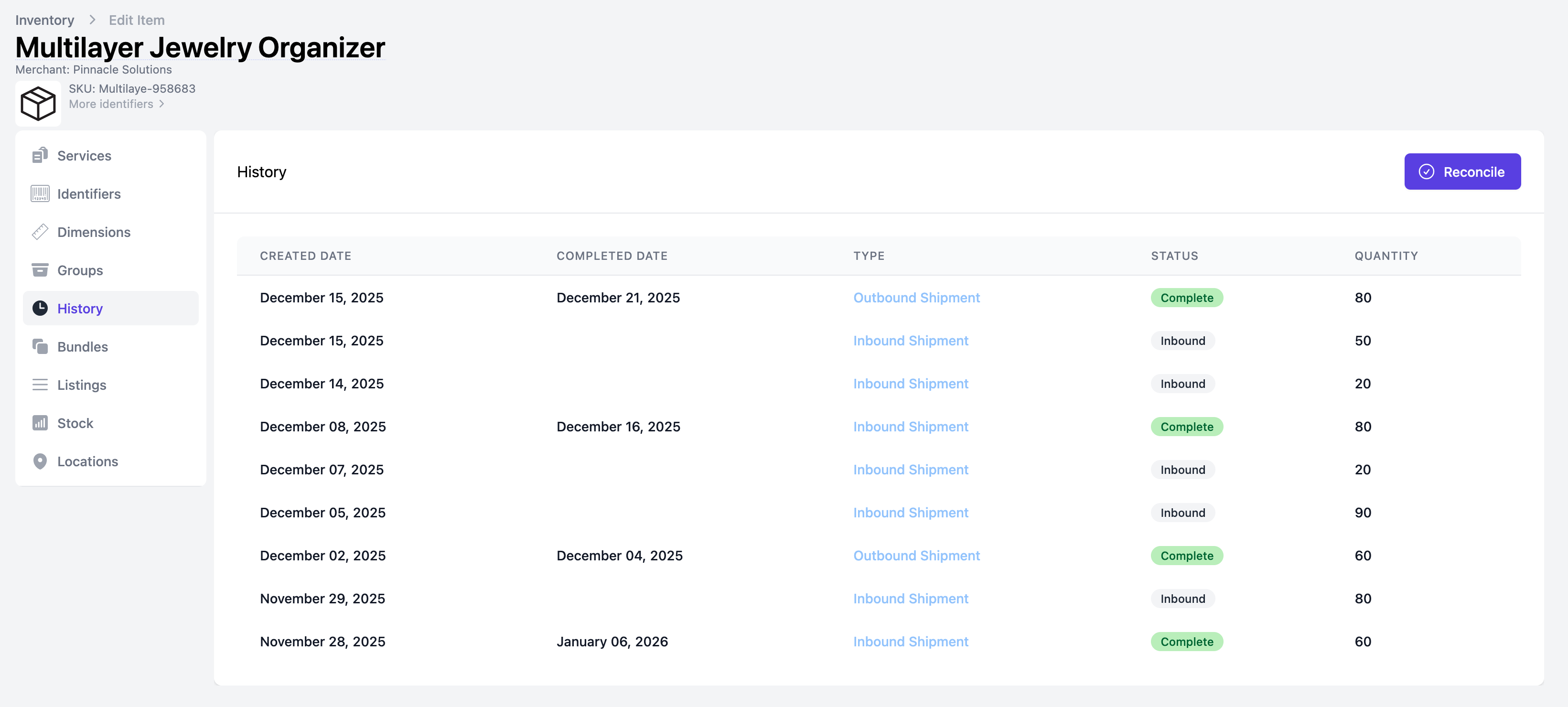
PrepBusiness also handles the financial reality. Payment Management sits alongside shipments and services, so invoices match work performed, and reconciliation shrinks. Operational details fit real prep rooms: Scan to Receive updates actual counts, the FNSKU label workflow prints exactly what was received, and Arrange Transport captures box contents and submits or purchases labels before anything leaves. Multi‑client account management keeps data scoped to the right customer, which reduces risk as you grow. Teams using PrepBusiness report a calmer floor and cleaner handoffs because the software mirrors their day, not the other way around. The outcome is concrete: fewer errors, fewer messages, and status updates your clients can see without asking.
Conclusion
If your counts keep drifting, the fix is not a tougher email template or a longer checklist. It is a prep‑centric flow that treats receiving, prep, and dispatch as one record with shared truth. Create shipments upfront, scan into them, batch services with hold‑tags, validate box contents, and record tracking in the same place. Review exceptions daily and track the KPIs that prove accuracy is improving.
You get a quiet inbox and a faster floor when your system does the talking. PrepBusiness was built to make that practical with centralization, scan‑first receiving, client‑visible statuses, and billing tied to shipments. The shift is simple to describe and powerful in practice: one shipment, one truth, start to finish.
Frequently Asked Questions
How do I create a single shipment record?
To create a single shipment record, start by establishing a clear process for intake. When a shipment arrives, make sure to scan it into your system immediately. This should anchor every unit to that record. You can use PrepBusiness to streamline this process, as it allows you to capture all relevant details in one place. After scanning, ensure the shipment is moved forward properly by prepping and dispatching it without breaking the chain of information. This keeps everything connected and reduces the chances of miscounts.
What if my team struggles with status definitions?
If your team is having trouble with status definitions, consider holding a meeting to standardize these terms. Make sure everyone understands what each status means and who is responsible for moving the work forward. You can use PrepBusiness to set up clear workflows that define these statuses in your system. This way, everyone is on the same page, and it minimizes confusion. Regular check-ins and updates can also help reinforce this clarity over time.
Can I track accuracy and scan coverage easily?
Yes, you can track accuracy and scan coverage using PrepBusiness. Start by setting up metrics to monitor these aspects regularly. For instance, you can review scanning reports to see how often items are scanned versus how many are received. This helps you identify any gaps in your process. Additionally, tracking accuracy involves checking the counts against the shipment records periodically. Make it a routine to analyze these metrics so you can address any issues promptly.
When should I review exceptions in my inventory flow?
You should review exceptions in your inventory flow daily. This regular check helps you catch any discrepancies early on. Use PrepBusiness to streamline this process, as it provides a clear view of all exceptions in your shipments. By reconciling these exceptions promptly, you can ensure that finance trusts the numbers and that your inventory remains accurate. Try setting a specific time each day to review these exceptions, so it becomes part of your routine.
Why does my team need a client-visible portal?
Your team needs a client-visible portal to eliminate status-chasing and reduce administrative hours. When clients can see the same status as your team, they won’t need to send constant inquiries about their shipments. This not only saves time but also improves communication. PrepBusiness has features that can help you set up this portal, allowing clients to track their shipments in real-time. This transparency leads to a calmer prep room and more satisfied clients.