Eliminate Status-Chasing: Build Client-Visible Ops
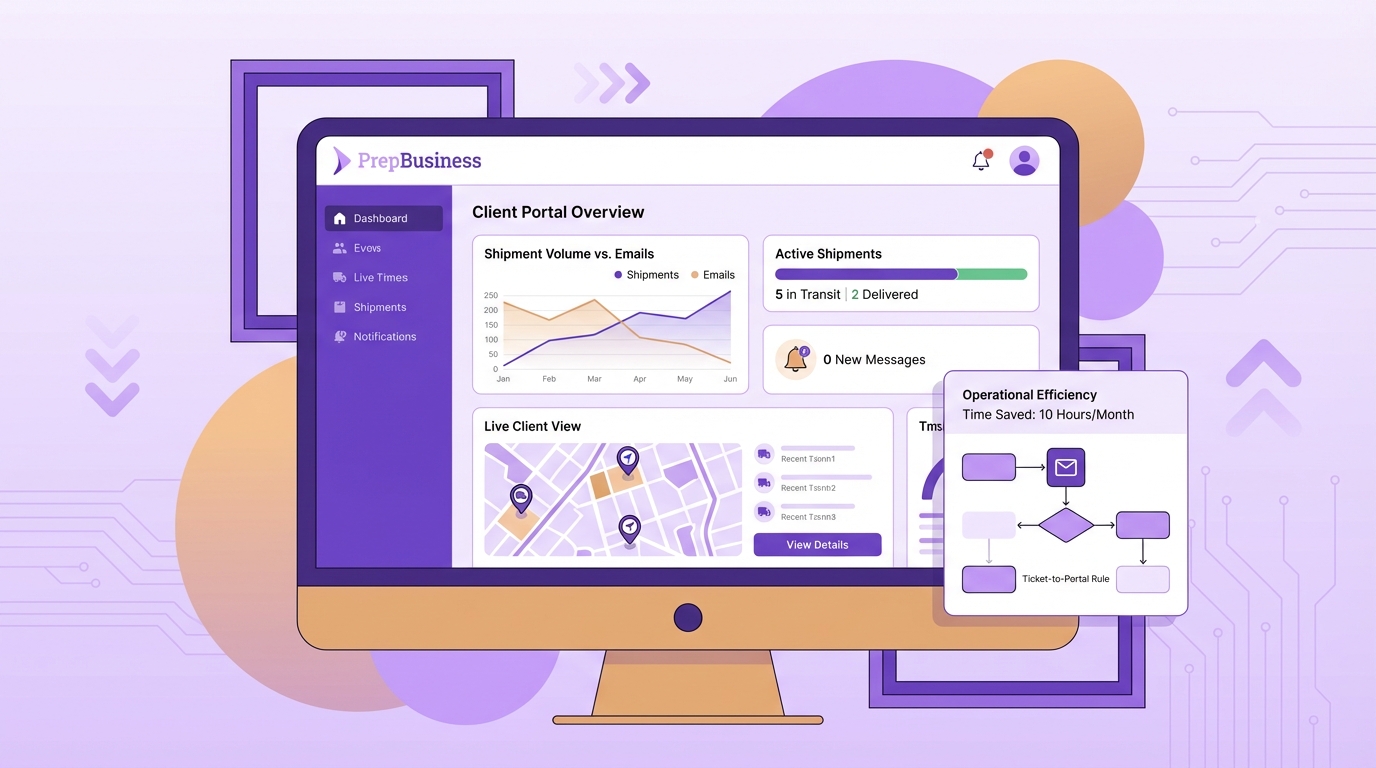
Status-chasing looks like a communication problem, but it is really a visibility problem. When shipment status, tracking, and billing live in separate tools, your team answers the same questions repeatedly while work waits. The fix is not more updates or a stricter inbox. The fix is making the system the messenger and giving clients a live window into their own shipments.
Once status is unified and client-visible, interruptions drop, handoffs speed up, and billing aligns with what actually shipped. You reclaim hours that were buried in “confirm and reply” loops. That is how you add throughput without adding headcount, and it is why a client-visible model has become the baseline for fast-growing prep centres.
Key Takeaways:
- Replace status emails with a client-visible portal so updates become unnecessary
- Quantify your communication tax this week using a simple 100×2×3 model to prove the cost
- Standardize a seven-field schema that travels with every shipment to prevent rework
- Tie payments to shipment records to shrink reconciliation and reduce disputes
- Introduce “ticket-to-portal” rules so habits shift and inbox load stays low
Why Status-Chasing Drains Your Floor Capacity
Status-chasing drains floor capacity because every answer requires a mini investigation across sheets, portals, and email. Three minutes per confirmation repeated dozens of times becomes lost hours that do not move boxes. A centre running 100 shipments per week can waste about 10 admin hours on routine status checks alone.
Count the interruptions, not the emails
Start by timing the work, not speculating about it. For one week, tally every inbound “what’s the status?” by client and shipment, then clock the end-to-end handling time, including hunting down the truth, confirming with a teammate, and replying. The count creates a baseline that turns vague pain into measurable waste.
Build a simple capture sheet so the timing is consistent and fast to log. Include shipment ID, client, where the answer lived, whether records matched, who confirmed, and total minutes spent. Then multiply shipments per week by average status checks per shipment and minutes per check. That 100×2×3 model often lands around 10 hours. Discipline in measurement is what turns capacity back on, as outlined in the principles from National Academies Chapter 5.
- Fields to log for each status check:
- Shipment ID and client name
- Where truth was found (sheet, Seller Central, courier, email)
- Minutes from question to reply
- Mismatch discovered and fix required
What is the real bottleneck?
The real bottleneck is fragmented truth, not message volume. If the status is live, consistent, and client-visible, the request rarely arrives. When it is scattered, every request becomes a scavenger hunt through tabs and threads. Document exactly where your data fragments and where staff pause to confirm reality across receiving, labeling, cartonization, and dispatch.
Ask operators to point to the sticky steps. You will hear about stages that lack clear triggers, counts that drift between sheets, and tracking numbers that sit in email drafts. Capture these friction points in a simple log. They are the first targets for consolidation with live, shared status that your team and clients can see when they track inventory.
Make the system the messenger
Commit to a rule: the system publishes status, not people. Every critical data point must live in one place that staff and clients can both see. That means shipment ID, stage, item counts, tracking, exceptions, and invoice reference live together, so work moves without side conversations or duplicate entry.
Replace ad-hoc replies with a “ticket-to-portal” practice. When a question comes in, answer by linking the portal view, not rewriting the data. Start with a tight scope: one workflow, one portal list, and live tracking capture. Prove the value quickly by recording tracking inside the shipment record so clients can self-verify with shipping tracking.
Shift From Inbox Updates To System Truth
Shifting from inbox updates to system truth starts with a minimal data model that travels with every shipment, backed by clear stage definitions and a client-friendly portal. The schema enforces consistency, and the portal makes that consistency visible. Simple beats clever during rollout, so keep scope tight and signals clean.
How do you design a 7-field schema?
Design a schema that covers what clients ask and what your team needs to work. A minimum set that travels with every shipment prevents rework and replaces clarification emails. If a field is missing or out of date, you will slide back into messages, so make each field mandatory where appropriate.
- The seven fields to standardize:
- Shipment ID
- Client
- Stage, with allowed values like Received, In Prep, Shipped
- Items: SKUs/FNSKUs and counts
- Tracking numbers
- Exceptions with reason codes
- Invoice reference
Create a single data template for intake and updates, using locked field names and allowed values. Align the schema with billing line items so the services you capture map to the invoice reference. This is what collapses reconciliation later with charges billing.
Standardize status definitions
Pick three to five stages that mirror your floor and publish a glossary clients can trust: Received, In Prep, Shipped, with optional Labeled and Packed. Define the precise event that advances each stage, such as dispatch confirming cartons and capturing tracking. If you cannot name the trigger, the status will drift and questions will return.
Run a weekly exceptions review to triage stuck statuses and unblock root causes. Label every exception with a reason code like overage, mismatch, or damage, then document the next action. Consistent language and timestamps build trust, and trust reduces messages. Internal views can be detailed, while client views stay simple via organize shipments.
What is the minimum viable client-visible model?
Start with a boring, accurate portal list. Show shipment ID, stage, last updated timestamp, tracking link when shipped, exceptions flag, and a link to invoice status. Limit controls to status and date range filters. Clients should answer 80 percent of their own questions in one glance.
Use one portal URL and login per client and reinforce the “portal-first” behavior in every touchpoint. Complexity belongs in internal workflows, not in client screens. Focus your early build on creating and updating shipments centrally with create shipments, keeping the schema intact end to end. Simplicity bias in operations design pays off, as discussed in TOM 009.
The Hidden Costs You Can Measure This Week
You can measure the hidden costs of status-chasing in days, not months. Track a small set of KPIs, attribute them to where work happens, and set targets for your pilot. This makes the shift to system truth a capacity project, not a tooling debate, and it keeps your changes grounded in throughput.
Instrument your baseline
Pick four KPIs and track them daily for a week: status-check volume, time-per-response, mismatch rate between status and reality, and reconciliation lag. Attribute each KPI to stages and clients to see where interventions will have the most impact first. Use a simple tally sheet to keep the effort light.
- KPIs to track this week:
- Status-check volume per client
- Minutes per response
- Mismatch rate between records and floor reality
- Days to finalize billing after dispatch
Set one improvement target per KPI, such as halving status checks or driving mismatch rates below two percent. Align floor signals to system truth by updating counts and stages in the flow with update inventory. Routines reduce variance and rework, which increases reliability and speed, a point underscored by Orsc.1110.0668.
How do you quantify the communication tax?
Validate the 100×2×3 model against your logs. Multiply shipments per week by average status checks per shipment and minutes per response, then add month-end cost for reconciliation and disputes. Convert the total hours into throughput by multiplying hours saved by shipments per hour per operator. That translation turns inbox wins into output.
Log the hours burned reconciling invoices against what shipped. When payments are not tied to shipments, this step balloons and invites errors. Use a simple dispute counter and track corrections per cycle. For context on aligning decisions and KPIs during staged rollouts, see Ijds.2025.0076. For deeper cost framing at month-end, review your own process using the ideas in charge breakdown.
What Clients Actually Need To Feel In Control
Clients need consistent signals, clear exceptions, and the ability to verify tracking themselves. When these are present, anxiety falls and inbox traffic follows. The portal becomes the shared source of truth, and your most skilled operators spend time advancing shipments, not explaining them.
Keep signals consistent
Publish a status glossary with clear triggers and timestamps, then use it in both staff SOPs and client views. Make tracking part of the shipment record and visible in the portal. Recording tracking once at dispatch eliminates paste errors and lets clients self-verify delivery progress with shipping tracking.
Annotate exceptions with simple codes and concise notes, and show them in the portal. Sunlight reduces anxiety and prevents repeated “any update?” pings. A weekly review of stuck statuses keeps the signal clean, and clients notice the discipline behind the scenes. Standard work and measurement sustain these gains, echoing guidance from National Academies Chapter 5.
How do you move clients to self-serve?
Use firm but fair portal-first language, such as “If you do not see it in the portal, we do not see it yet.” Incentivize portal use by prioritizing answers there, with email responses during the next daily check. New contacts get a 10-minute walkthrough on filtering by status, finding tracking, and reading exceptions.
Give each customer their own account with scoped access so they see only their data via account access. Consistency, not volume, changes behavior. When every reply includes the same link to the same live view, self-serve becomes the default.
Migrate To A Client-Visible Workflow In 30 Days
A 30-day migration is enough to audit the current state, centralize live status, and tie billing to shipments. Use a weekly cadence with a brief parallel run to validate counts and outputs. Keep the scope tight and enforce habits that keep the portal truthful and trusted.
Week 1: audit every “status” touchpoint
Map where status lives today across sheets, Seller Central, courier portals, and email. For each, capture who updates it, when it changes, and how it breaks under volume. Convert these findings into fields in your seven-field schema and build intake and update templates that enforce definitions.
Train leads first so they can coach on the floor. Announce “ticket-to-portal” internally with short scripts and make every reply during the pilot link to the live view. That habit trains both staff and clients. Establish the shipment as the unit of truth by creating and editing it centrally with create shipments.
- Week 1 checklist:
- Current-state map complete
- Seven-field schema finalized
- Intake and update templates ready
- Internal scripts and portal language drafted
Week 2: centralize intake and live status
Create shipments centrally and attach orders, SKUs/FNSKUs, quantities, and packaging notes. Move inventory through defined stages in real time. Receiving updates counts, prep advances stages, dispatch confirms cartons and captures tracking. Fix root causes for any exceptions as you go so accuracy is in place before opening the portal.
Run a parallel week for select clients as a confidence check. Keep your current methods, but also capture everything in the centralized workflow. Compare counts, status updates, and billing outputs. If drift is under your threshold, grant portal access and switch those clients fully in week three. Keep work flowing on the floor with track inventory and keep billing aligned using charges billing. Simplicity and staged rollout discipline improve adoption, a theme explored in TOM 009 and Ijds.2025.0076.
How PrepBusiness Delivers Client-Visible Ops Without Extra Headcount
PrepBusiness delivers client-visible operations by centralizing shipments and tracking, exposing live status to clients, and tying payments to the work performed. The core workflow mirrors real prep-room stages so staff know what to do next, and multi-client data separation keeps growth from creating chaos. The outcome is fewer errors, fewer messages, and faster handoffs.
Core workflow in PrepBusiness
PrepBusiness uses Centralized Order & Shipment Management so every shipment has one record across receiving, prep, and dispatch. Operators create shipments with order details and SKUs/FNSKUs, then update stages as work advances. When dispatch captures tracking inside the shipment record, the portal surfaces it automatically for clients, which cuts routine “is it out yet?” messages.
Payment Management sits next to shipments, so invoices match the work performed. Linking invoice references to shipment IDs shrinks month-end reconciliation and reduces disputes. Multi-Client Account Management keeps each client’s data isolated while your team sees the full operation. That combination turns a single source of truth into a client-visible source of confidence.
Who does what after the switch?
PrepBusiness clarifies roles so the workflow sticks. Receiving updates counts, prep advances stages, dispatch finalizes cartons and tracking, and the ops lead reviews exceptions weekly. Support and account managers enforce the “ticket-to-portal” rule by linking the portal view instead of rewriting status in emails. Role clarity and access controls are straightforward to configure with user permissions.
PrepBusiness maintains data separation by client, so adding new accounts does not add chaos. Each customer authenticates to see only their shipments and statuses. Your team benefits from the same standardized, prep-centre-tuned workflow across the board.
Monitoring and continuous improvement
PrepBusiness makes monitoring simple. Track KPIs weekly, including status-check volume, minutes per response, mismatch rate, and reconciliation lag. Review stuck statuses and exceptions and fix root causes like missing fields or unclear triggers. Share the numbers across the team so adoption becomes habit instead of a top-down push.
Remember the earlier 10-hour-per-week burden from manual updates. PrepBusiness eliminates that waste by making the system the messenger. For a concise summary of capabilities to plan your rollout, read the features overview and align budget expectations with pricing details. The result is a calm inbox and a faster floor, powered by client-visible operations that sustain themselves.
Conclusion
Status-chasing thrives where truth is fragmented. A seven-field schema, clear stage triggers, and a simple portal turn that fragmentation into shared visibility, and the inbox quiets itself. Measure the cost, introduce “ticket-to-portal,” and tie billing to shipments, then watch hours return to the floor.
This is not about more messages. It is about fewer. When clients can see what is received, what is in prep, what shipped, and the tracking that proves it, they do not need to ask. Your operators stop moving information and go back to moving shipments, which is the simplest definition of reclaimed capacity there is.
Frequently Asked Questions
How do I create a client-visible portal?
To create a client-visible portal, start by choosing a tool that allows clients to access real-time updates on their shipments. PrepBusiness can help you set this up quickly. Next, gather all relevant information like tracking details, billing info, and shipment statuses. Make sure everything is organized in a user-friendly interface. Lastly, communicate with your clients about how to access the portal and encourage them to use it for updates instead of emailing your team.
What if clients still ask for status updates?
If clients continue to ask for status updates, remind them about the client-visible portal you’ve created. Encourage them to check it for the latest information. If they still have questions, consider scheduling a brief training session to walk them through the portal’s features. This can help reduce repetitive inquiries and get them accustomed to checking for updates themselves. PrepBusiness can enhance this experience by providing easy access to all shipment details in one place.
Can I reduce admin hours spent on status checks?
Absolutely! Start by tracking how much time your team spends on answering status questions. You can use a simple spreadsheet to log each inquiry and the time taken to respond. Once you have this data, consider using PrepBusiness to centralize your status updates in one portal that clients can access. This way, you can cut down on repetitive inquiries and reclaim valuable admin hours for other tasks.
When should I implement ‘ticket-to-portal’ rules?
Implement ‘ticket-to-portal’ rules as soon as your client-visible portal is ready. This means that instead of answering status questions directly, you guide clients to the portal for information. Start by informing your team and clients about this new process. You might want to give it a trial period, gathering feedback to see if it reduces email traffic and improves client satisfaction. PrepBusiness helps streamline this transition by making it easy to track all relevant shipment information in one place.
Why does tracking shipment status matter?
Tracking shipment status is crucial because it directly impacts client satisfaction and operational efficiency. When clients have access to real-time updates, your team spends less time answering repetitive questions and more time on high-value tasks. This visibility reduces misunderstandings and disputes over billing, aligning your operations with client expectations. Tools like PrepBusiness make it easier to provide this visibility, creating a smoother communication flow and improving overall productivity.