Centralized Inventory for Prep Centres: Cut Errors Fast
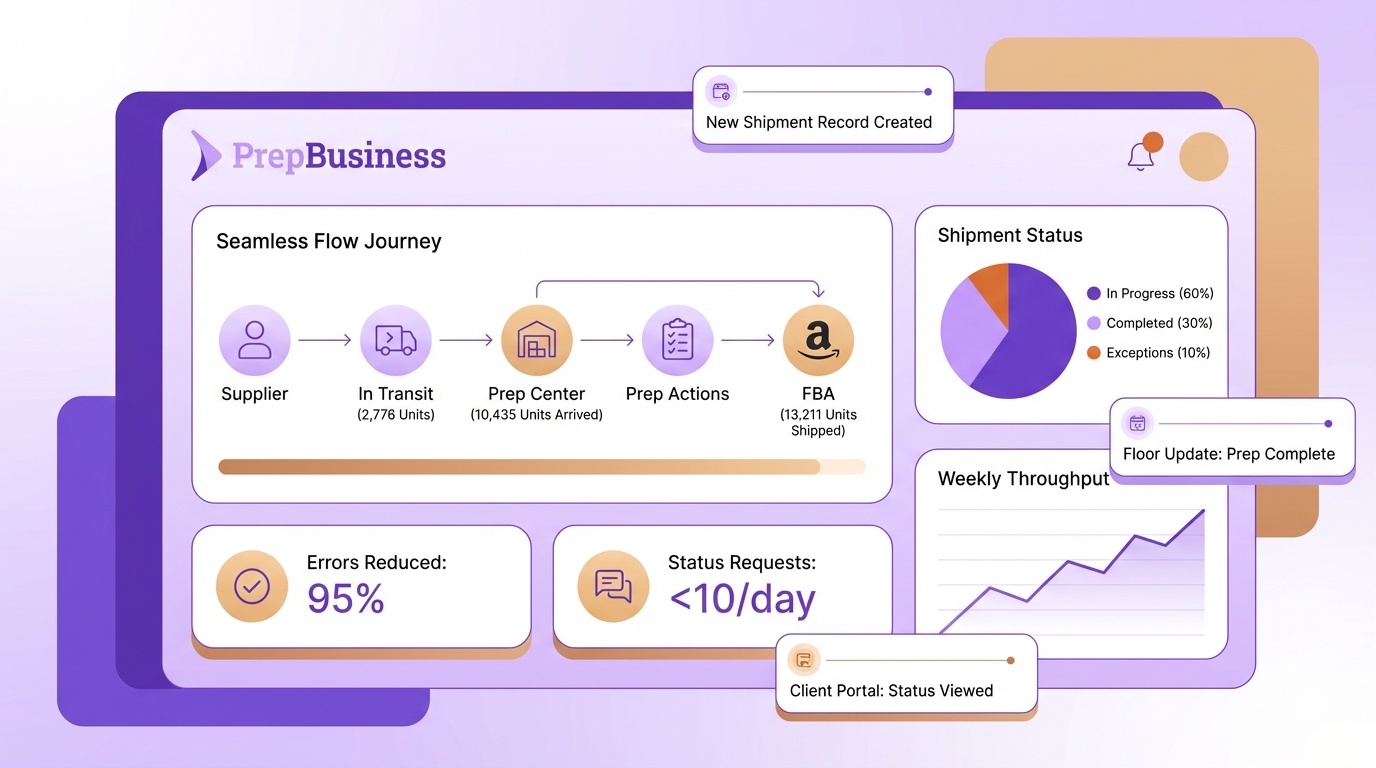
Most Amazon FBA prep centres think inbox overload is a communication problem. It is really a visibility problem created by scattered truth across Seller Central, including features, spreadsheets, email, courier portals, and a billing tool that lives on an island. Centralized inventory and client-visible operations turn status chasing into self-service and free your team to move shipments, not messages.
When every stage from receiving to dispatch updates a single shipment record, errors fall, month-end stops being detective work, and clients get answers without asking. The path is not more email templates. It is a prep-centre-first operating model that makes the system the messenger and the shipment the backbone.
Key Takeaways:
- Replace scattered truth with a shipment-first record that ties counts, prep actions, tracking, and charges together
- Quantify the “status ping tax” to align your team on why centralization matters
- Map owners and handoffs so floor updates happen where the work happens
- Standardize statuses and build an exceptions view to surface stuck work
- Pilot with one client in shadow mode, then cut over with clear rollback criteria
- Use a client portal to eliminate routine “What’s the status?” messages
- Anchor payments to shipments so reconciliation becomes export, not investigation
Why Status Chaos Persists (It’s Not A Communication Problem)
Status chaos persists because your truth lives in too many places that update at different tempos. Each retyped count or pasted tracking number is a new chance to misalign reality. Picture one shipment where receiving, prep, and dispatch all copy data into a sheet while the client waits in your inbox.
What scattered truth looks like on the floor
A prep floor runs on dozens of micro handoffs every day. When listings and inbounds live in Seller Central, counts sit in a spreadsheet, tracking hides in a courier portal, and billing happens elsewhere, your team cannot see the same reality at the same time. The system becomes email, and email is a poor database.
Map your current sources of truth
List every system that “owns” a piece of the truth, who updates it, and when. Note overlaps and gaps, then draw one swimlane from receiving to dispatch and mark every retype or paste in red. Those red boxes are your first centralization targets. Centralized inventory approaches in broader operations repeatedly show why this matters, as outlined in Katana’s overview of centralized inventory management and SupplyChainBrain’s discussion of control towers.
The Hidden Cost Draining Your Week
The hidden cost is measurable time lost to confirming status, regaining context, and fixing mismatches. A conservative model of 100 shipments, two pings each, and three minutes per reply yields 600 minutes, or 10 hours. That number grows as clients multiply and context switching breaks flow on the floor.
Calculate the status ping tax
Count weekly shipments, average pings per shipment, and minutes per answer. Put the math on paper with your team and treat it like any other throughput constraint. Add a minute of flow recovery per interruption to reflect reality. Research on flow disruptions and setup time in operations, such as INFORMS studies on production and switching costs, shows how small interruptions compound into real capacity loss.
Measure error and reconciliation rework
Sample 50 recent shipments. For each, trace where data was duplicated or pasted between sheet, Seller Central, and courier portals. Count corrections and time to resolve. Even five-minute fixes across 20 percent of shipments accumulate into hours. Tie charges to the shipment record and this rework shrinks because the financial trail lives next to the work.
Establish baseline KPIs before you migrate
Capture three baselines for two weeks so benefits are visible. Track status queries per week, reconciliation hours per month, and inventory error rate defined as miscounts or mismatched tracking. Share the numbers openly to create urgency. Then point your team to the first two wins: consolidate tracking and counts, and expose live status through a client portal with inventory tracking and payment management tied to shipments.
Map Workflows And Data Sources
Map workflows by deciding what stays in Seller Central and what your team must own locally. Listings and Amazon-native tasks remain in Seller Central. Receiving counts, prep steps, cartonization, dispatch states, and tracking need a single system your floor updates as work happens.
Draw the receiving-to-dispatch swimlane
Sketch the flow from intake to dispatch and attach data fields to each stage. The shipment is the spine that connects items, counts, prep notes, and tracking. Keep Amazon for seller tasks, and centralize prep-room work so staff never jump to a seller UI to find next actions. This mirrors how control-tower concepts centralize signals to speed decisions, a principle described in SupplyChainBrain’s control tower analysis.
Audit spreadsheets and inbox traffic
Export every active sheet and label each tab’s purpose, owner, update cadence, and downstream consumers. Identify one “column of truth” to migrate first, typically current count or tracking. Audit your inbox for recurring subjects like status and tracking, tag them for two weeks, then redirect answers to the portal. Make updates in the system, not the email thread, and train stage owners where to update inventory.
Design A Single Source Of Truth Schema
A single source of truth schema for a prep centre centers on the shipment. Orders create shipments. Items inherit SKUs or FNSKUs and quantities. Status events and tracking attach to the shipment. Charges link to the same record, so billing mirrors the work performed.
Model entities around the shipment backbone
Create entities for Orders, Shipments, Items, Status Events, Tracking, and Charges. Each item references its shipment, which in turn references the order. Store tracking on the shipment, not in email. Use one-to-many for multi-carton shipments. This model reduces mismatches and supports clean reporting, a pattern echoed in academic work on centralized inventory structures like Orbit DTU’s models overview.
Standardize statuses and surface exceptions
Adopt floor-native statuses with clear entry and exit criteria. A simple set is best: Received, In Prep, Ready To Dispatch, Dispatched. Define the field updates required at each transition, such as count verification or carton confirmation. Build one exceptions view that flags shipments with no movement in 48 hours for weekly review.
- Keep statuses observable on the floor
- Require a field update at each transition
- Review exceptions weekly with owners
Link billables to the work that happened
Capture services like labeling, bundling, and polybagging as structured charges tied to the shipment and item quantities. When dispatch confirms, billing is effectively complete because charges sit next to the shipment’s proof of work. Avoid free-form notes so totals are reproducible. Connect this pattern to shipment creation and shipping tracking features to keep everything in one place.
Staged Migration Plan With Client Visibility
A staged migration reduces risk while proving value quickly. Pilot with one cooperative client in shadow mode, compare records daily, then cut over with a clear rollback threshold. Turn on self-service visibility early so inbox volume drops as soon as the data is trustworthy.
Pilot one client in shadow mode
Pick a medium-complexity client and small SKU set. Run the new system in parallel with your sheet for two weeks. Acceptance criteria include matching counts, on-time status transitions, and correct tracking. Expand scope only after daily matches stabilize. Use focused views to organize shipments by stage so the floor stays on task.
Onboard client self-service and scope access
Create the client’s account, verify they only see their data, and give a short script on where to find shipments, statuses, and tracking. Add the portal link to your footer and reply to status emails with a pointer to the portal for two weeks. The message is simple, for live status check your portal, email is for exceptions.
Cutover with guardrails and monitor exceptions
Schedule cutover on a low-volume day with a short checklist, shipments created early, statuses standardized, tracking recorded in-system, and charges configured. Use a rollback rule, if same-day counts or statuses diverge by more than two percent, pause and fix within 24 hours. Monitor a daily exceptions view in week one, then weekly. Evidence from centralized control disciplines supports phased rollouts to reduce disruption, as discussed in MIT’s centralized inventory thesis collection.
Implementing PrepBusiness To Centralize Inventory And Cut Inbox Time
Implementing PrepBusiness centralizes orders, shipments, inventory states, tracking, and payments in one prep-centre-first workflow. Floor teams update the shipment record as work happens and clients see live status in their portal. The outcome is fewer errors, fewer messages, and faster cash collection.
Configure accounts, workflows, and the portal
Remember that 10-hour status ping tax. PrepBusiness eliminates it by making updates self-serve. Create your workspace, add client accounts with multi-client separation, and assign team logins by role. Receiving logs arrivals, prep advances statuses, dispatch records tracking on the shipment. Clients use the portal to see what is received, in prep, and out the door with tracking attached. This is the heart of client-visible operations, which you can explore in more depth on the client-visible operations page.
PrepBusiness mirrors real prep-room steps so ramp time falls. Stages align with your floor, intake, count, prep, label, pack, and ship, and the system maintains continuity so each function sees the same truth. Inventory signal quality stays high as volumes spike, and your most skilled operators spend time moving shipments forward, not moving information between tools.
Centralize shipments, tracking, and payments for clean handoffs
PrepBusiness turns the shipment into the backbone for everything that matters. Operators create shipments with SKUs or FNSKUs, quantities, and prep notes, which becomes the single source of truth from receiving to dispatch. As work progresses, statuses advance where the work happens. When cartons leave, dispatch records tracking inside the shipment record so clients see it instantly in the portal. No copy and paste from courier sites. Use Payment Management to tie charges to services performed with the shipment as anchor, so reconciling invoices at month-end becomes export, not investigation.
- Centralized Order and Shipment Management links counts, prep, and tracking to one record
- Customer Self-Service Portal reduces inbox volume by answering routine questions automatically
- Payment Management ties billing to work performed, shrinking reconciliation time and disputes
PrepBusiness was built by FBA operators and tuned with a working California prep centre, so it reflects what actually happens on the floor. Teams adopting PrepBusiness report smoother handoffs, fewer mismatches, and calmer inboxes because the system shows both staff and clients the same live status. If you are evaluating cost versus hours saved, review the pricing plans alongside your baseline KPIs to quantify payback.
Conclusion
Centralized inventory for prep centres is not a new tool, it is a new operating standard. Shift from scattered truth to a shipment-first record that your team updates as work happens and your clients view in real time. Quantify the status ping tax, map owners and handoffs, and pilot one client to prove the value on your floor.
A simple schema, clear statuses, and a client portal collapse errors, inbox volume, and reconciliation time. PrepBusiness was built to make this approach practical for Amazon FBA prep centres, unifying orders, shipments, inventory states, tracking, and payments so the system does the talking. The result is straightforward, fewer errors, fewer messages, faster handoffs, and cleaner billing.
Frequently Asked Questions
How do I centralize my inventory for better visibility?
To centralize your inventory, start by consolidating all your data into one system. You can use PrepBusiness to tie together counts, prep actions, tracking, and charges. This creates a single shipment record that everyone can access, which helps reduce errors. Next, map out your workflow to identify key handoffs and ensure updates happen where the work is done. This way, your team won’t have to chase down information, and clients can get real-time updates without needing to ask.
What if my team struggles with scattered data?
If your team is dealing with scattered data, consider using PrepBusiness to bring everything into one place. Start by identifying the various sources of information—like spreadsheets, email, and courier portals—and migrate that data to a single system. This will help you streamline operations and reduce the chances of miscommunication. Additionally, standardizing statuses across your workflow can make it easier for everyone to stay on the same page, which can improve overall efficiency.
Can I reduce status update requests from clients?
Absolutely! You can set up a client portal with PrepBusiness to provide your clients with the information they need without them having to ask. This way, clients can check the status of their shipments in real-time. Make sure to regularly update the portal with accurate information to keep clients informed. This not only decreases the number of ‘What’s the status?’ messages you receive but also improves client satisfaction by giving them immediate access to their shipment details.
When should I pilot my new centralized system?
You should consider piloting your new centralized system with one client first. Start by running it in shadow mode, which means you’ll still track information in your old way while testing the new system. This allows you to identify any issues without disrupting your current workflow. Make sure to set clear rollback criteria, so if anything goes wrong, you can easily switch back. Once you’re confident in the new setup, you can roll it out to all clients.
Why does my team still face communication issues?
Communication issues often arise from having data in multiple places, which creates confusion and misalignment. If your inventory management relies on scattered truth—like different spreadsheets or platforms—it’s easy for errors to slip through. Using PrepBusiness can help tackle this by centralizing all your data into a single, accessible platform. When everyone has access to the same information, it reduces the chances of miscommunication and helps your team focus on getting the work done.