Automated Billing: Cut Reconciliation Time by 80%
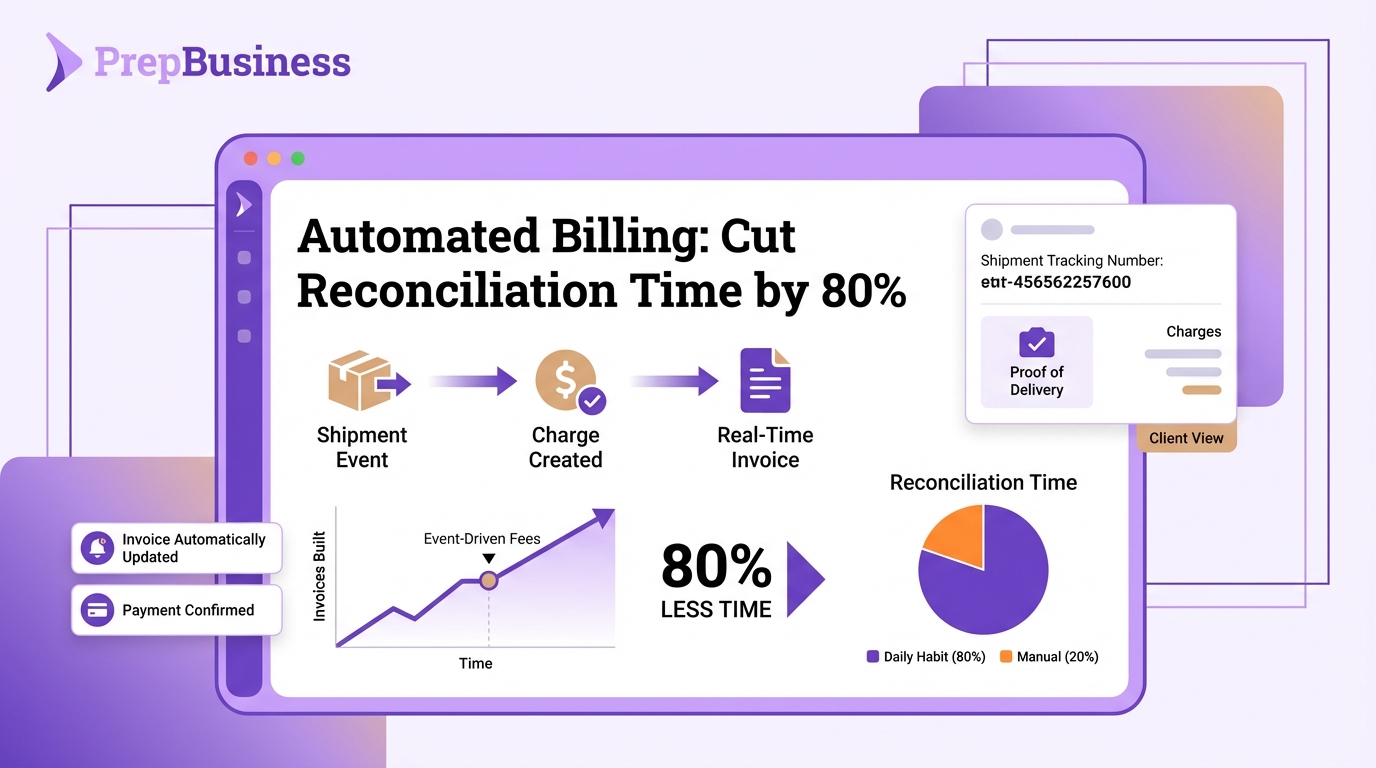
Month-end should feel like a finish line, not a triage unit. If your invoices depend on memory, emails, and spreadsheets, you rebuild the same story each cycle, which invites delays, disputes, and unnecessary write-offs. The fix is simple in concept: make billing follow the shipment, not the calendar.
When charges are created by the same events that move work forward, reconciliation shrinks from a project to a daily habit. Shipments, tracking, and payments become one continuous record, so the invoice is proof, not a narrative. The result is cleaner cash flow, fewer headaches, and a quieter inbox.
Key Takeaways:
- Anchor every charge to a shipment event so invoices build themselves as work progresses
- Replace monthly batching with event-driven fees to compress your work-to-cash timeline
- Centralize rules for services, tax, and rounding to keep money math consistent
- Quantify the hidden tax: status chasing, dispute handling, and manual reconstruction
- Implement an event blueprint with queues, idempotency keys, and nightly reconciliation
- Tie invoices to shipment IDs and tracking so clients see charges with proof
Invoicing After The Fact Keeps You In Reconciliation Jail
Invoicing after the fact creates rework because your team must reconstruct what already happened from scattered tools. Benchmarks show automation shortens invoice processing time and reduces friction, which directly lowers reconciliation overhead. Picture dispatch day where tracking is captured, charges appear, and clients see fees next to proof without email threads.
Make billing follow the shipment
Billing should live where the work lives. When charge lines are created from the shipment record that already holds SKUs, counts, and timestamps, your staff stops hunting across sheets and inboxes. Tie charges to the same shipment events you trust operationally, and use shipment tracking as verifiable proof.
Charge creation inside the shipment context builds a shared truth. The invoice points to a record anyone can open, which reduces back-and-forth and speeds collection. Consolidate fees, counts, and tracking in one view and expose it to clients through a portal so updates are self-serve.
- Keep charge lines adjacent to shipment data in charges and billing
- Capture tracking at dispatch in the shipment record
- Publish the same record to the client portal to eliminate status-chasing
Kill the month-end pileup
End-of-month batching is a holdover from spreadsheets. Replace it with event-driven creation so fees materialize when items are received, prepped, or shipped. The work-to-cash timeline compresses because the system records reality once, at the moment it happens. No one rebuilds history under deadline pressure.
Benchmark data from Medius on time-to-process invoices shows that automation reduces processing time. Apply the same principle to prep operations. When events generate charges, month-end becomes review, not research.
Tie money to movement, not memory
Memory drifts, system records do not. Use shipment status changes and quantity confirmations as triggers to create billable lines, then let tracking numbers serve as the audit trail. Staff keep moving work forward instead of reconstructing it later, and clients see the charges alongside the proof.
The more you rely on event data, the less you rely on people to remember details from last week. The invoice becomes a byproduct of operations, not a separate task.
The Root Cause: Billing Rules Aren’t Anchored To Events
The real blocker is not effort, it is design. Money and movement sit in different systems, including charges billing, so staff must connect them manually. A rules layer that ties services to shipment events fixes this at the root. For each service, define what proves delivery and let events drive fee creation.
Design a billing rules table
Create a rules matrix that mirrors how you charge. Include service name, SKU or family, unit of measure, base price, minimums, bundles, taxability, and effective dates. Map each service to the shipment event that proves delivery, such as per unit labeled at prep complete or per carton at dispatch.
Version-control the table so price changes do not rewrite history. Anchor the table to the canonical shipment record you maintain when you create shipments. If you offer specialized work, define those in shipment services with explicit event hooks.
- Service-to-event mapping keeps fees honest and explainable
- Effective dates protect prior invoices from new pricing
- Units and bundles prevent math drift during scale
Define event triggers and payloads
Treat status transitions and quantity confirmations as first-class events. For each event, specify payload fields like shipment ID, client ID, SKUs or FNSKUs, counts, timestamps, and actor. Ensure idempotency with a deterministic key, for example shipment+SKU+event+sequence, so retries never duplicate fees.
Centralize how events are batched and filtered in operations views such as organize shipments. Consistent payloads let charge workers run predictably across busy days and quiet days alike. Patterns from automated payment reconciliation apply directly here: stable keys, replayable events, and auditable logs.
The Hidden Costs Draining Your Close
Operational tax hides in small tasks that add up. Rebuilding invoices from emails, answering status checks, and cleaning up disputes pull operators out of the prep room. Those minutes compound across shipments and clients. The monthly close drifts, cash slows, and confidence drops.
Let’s quantify the chaos
Imagine 100 client shipments per week. If each invoice takes six minutes to reconstruct from emails and sheets, that is 10 hours, before disputes. Add 10 hours for routine status checks, which aligns with the common two-per-shipment pattern at three minutes each, and you lose a full day of operator time before reconciliation begins.
External benchmarks affirm the trend. Research summarized in statistics on automated reconciliation and month-end shows that automation cuts close effort by reducing manual matching. In prep centres, event-anchored billing replicates that benefit because matching is built in, not performed after the fact.
Where disputes and write-offs appear
Without event-anchored charges, clients challenge line items you cannot easily validate. Duplicate fees surface when counts are double-entered. Missing tax rules create under or over billing. Every fix triggers rework, delays cash collection, and nudges DSO upward.
Targets worth tracking include DSO, dispute rate, reconciliation lag, and the percent of invoices generated directly from shipment events. Move toward a daily micro-close so invoices are issued within 24 hours of dispatch. Even a conservative shift from monthly batching to event-driven creation can cut reconciliation effort by about 80 percent because you stop rebuilding history.
- Track DSO weekly and correlate with event-driven invoice coverage
- Monitor dispute rate by service to spot weak rules
- Measure reconciliation lag from dispatch to invoice issued
What It Feels Like When Billing Matches The Work
When billing matches the work, operations feel lighter. Charges appear as work progresses, the portal shows fees next to tracking, and month-end is a review, not a search party. Staff stay in flow, clients trust what they see, and cash moves faster without heroics.
A day in the life after automation
You dispatch, record tracking in the shipment, and the invoice lines are already there. The client checks the portal and sees fees next to the tracking that proves shipment. No follow-up email. No request to resend the invoice with detail. Your team keeps working, and cash moves faster.
This is the practical effect of making the system the messenger. A shared source of truth reduces noise and unlocks speed. A quick tour of the feature overview shows how shipment, tracking, and charges live together in one place.
Protect operators from context-switching
Keep receiving, prep, dispatch, tracking, and payments aligned in one workflow. When staff do not need to jump between Seller Central, courier portals, and spreadsheets, they make fewer mistakes and complete more work. Less context switching produces better counts and faster handoffs across the floor.
Inventory clarity supports this calm. Live signals in track inventory guide decisions about what to prep next and when to finalize dispatch, which improves the timing of event-driven billing creation too.
Build client trust with proof
Clients trust what they can verify. Shipment records with tracking and tied payments create a clean audit trail. Visibility reduces anxiety and disputes. Confidence builds when invoices are clearly tied to services delivered, not reconstructed narratives shared over email.
The same record your team uses to plan work is the record clients see. The alignment lowers friction on both sides and shortens time to pay.
Design The Event-Driven Billing Blueprint
Event-driven billing is a simple pattern with strong controls. Publish events, look up rules, create charges with idempotency, and reconcile nightly. Handle partials and returns as adjustments, not overwrites. Keep accounting in sync with stable references back to shipments.
Event-driven invoice generation (webhooks, queues, idempotency)
Publish shipment events, such as received, prepped, dispatched, and tracking captured, to a queue. A worker reads events, looks up rules, and creates charge lines. Use idempotency keys, for example shipment+event+sku+sequence, to prevent duplicates. Apply retries with backoff and dead-letter queues for failures, and log every decision for audit.
Make the worker stateless so you can scale it during busy weeks. Persist logs that show event payload, rule matched, charge computed, and reference back to the shipment. Concepts from supply chain data controls in automated data reconciliation for supply chains translate well here.
Handle partials, returns, and credits
Raise pro-rata charges for partials based on received or shipped quantities. When returns or corrections occur, generate credit notes that reference the original idempotency key so the story remains explainable. Keep credits event-driven too, for example on a “return processed” event, and never overwrite history.
Document how adjustments appear on the invoice and in the portal. Clarity prevents surprise and keeps client conversations simple.
Reconciliation and accounting integration
Run nightly scripts that match charges and payments to shipment events. Join shipments to charges and payments, flag mismatches, and compute reconciliation lag. Alert on anomalies like duplicate keys, negative totals, or missing tracking on billed shipments. Post a daily report that operators and finance actually read.
Export summarized invoice data keyed to shipment IDs into your accounting system. Use a stable reference in the memo or a custom field to link back to the shipment. If no API exists, schedule CSV exports and imports on a cadence you can trust. Maintain a single source of truth for charge lines in charges and billing and use create shipments to confirm the event stream, with organize shipments helping teams manage exceptions.
How PrepBusiness Automates Billing From Shipment To Payment
Event-anchored billing is practical when the software sits next to the work. PrepBusiness centralizes shipments, tracking, and payments so invoices are accurate by construction. Teams eliminate the rebuild, clients get clear proof, and month-end stops stealing days from operations.
Configure services and charges in PrepBusiness
Define services and units the way you work, per unit, per carton, or per shipment. Set base prices, minimums, and bundles, and map each to the event that proves delivery. Keep charges tied to the shipment record so operators never re-key details. The configuration lives beside operations in charges and billing, and it reflects prep-room reality rather than generic warehouse assumptions.
PrepBusiness stores service rules with effective dates, which protects historic invoices when pricing changes. Your staff can see exactly which rules applied to a shipment and why a charge exists.
Generate accurate invoices from shipment records
When dispatch records tracking, Payment Management in PrepBusiness keeps financials beside the work performed. Invoices are built from shipments, SKUs, counts, and timestamps your team already maintains. Clients open their portal and see fees next to tracking, which reduces disputes and shortens time to pay.
The event-driven pattern applies across receiving, prep, and dispatch. PrepBusiness looks up your rules, creates charge lines with idempotency, and logs every decision. That log becomes the audit trail support needs during client questions.
Roll out safely and build confidence
Pilot with one or two clients first, and standardize statuses so events are clean. Train staff to record tracking in the shipment record every time. Validate fit with the 30-day money-back guarantee and expand once the daily rhythm feels natural. Use feature overview to align your team on the client-visible operating model, configure per-client access in client account details, and invite a walkthrough through contact team.
Remember the wasted hours spent rebuilding invoices and answering status checks. PrepBusiness eliminates that burden by creating invoices from shipment events. The result is fewer disputes, faster cash, and an inbox that stays quiet while the floor gets faster.
Conclusion
Tie money to movement and the close gets easy. Charges appear as the work happens, tracking provides proof, and invoices become a faithful reflection of shipments rather than an end-of-month reconstruction. Quantify the time you spend rebuilding history and answering status checks, then give those hours back to the floor.
Design a clear rules table, publish shipment events, and enforce idempotency. Reconcile nightly and export stable references into accounting. With event-anchored billing, you trade manual matching for predictable cash and transparent client conversations. The payoff is simple and durable: fewer errors, faster handoffs, and a close that happens every day, not just at month-end.
Frequently Asked Questions
How do I set up automated billing with shipments?
To set up automated billing tied to shipments, start by linking your billing system to your shipment tracking. This way, every time a shipment is processed, the associated charges can be generated automatically. You can use PrepBusiness to streamline this process. It helps you create invoices that reflect real-time shipment events, reducing discrepancies and manual work. Make sure to define your service rules and tax calculations in the system so that everything stays consistent. Once everything is in place, your invoices will build themselves as work progresses, making month-end much smoother.
What if my team still relies on spreadsheets?
If your team is still using spreadsheets, it’s time to consider transitioning to an automated system like PrepBusiness. Start by identifying the key data points that need to be tracked, such as shipment IDs and charges. Then, gradually move this data into PrepBusiness, which can take care of invoicing as shipments happen. This shift can significantly reduce the time spent on reconciliation and minimize errors that come from manual entry. Remember, the goal is to tie your invoices directly to shipment events, which makes tracking and billing much more efficient.
Can I customize my billing rules in PrepBusiness?
Yes, you can customize your billing rules in PrepBusiness. This feature allows you to set specific parameters for services, taxes, and rounding, ensuring that your billing is consistent and accurate. To do this, go into the settings and define your rules according to your business needs. This way, you can ensure that all charges generated from shipment events adhere to your established guidelines. Customizing your rules can help eliminate confusion and streamline the billing process, making it simpler for your team and clients.
When should I review my billing processes?
You should review your billing processes regularly, especially if you notice delays or disputes in your invoicing. A good time to do this is right after a busy shipping period, like month-end. Use this opportunity to assess how well your automated billing is working with shipments. You can analyze whether the invoices generated align with shipment records and if there are any discrepancies. If you find any issues, consider making adjustments in PrepBusiness to improve accuracy and efficiency. Regular reviews can help keep your cash flow consistent and your team focused.
Why does automated billing reduce reconciliation time?
Automated billing reduces reconciliation time because it ties invoices directly to shipment events. When your billing is event-driven, each charge appears as shipments are processed, eliminating the need for your team to reconstruct invoices from scattered data. This real-time connection helps create a continuous record that everyone can trust. With PrepBusiness, you can automate this process, ensuring that every invoice is generated based on actual shipment data, which minimizes errors and speeds up cash flow. As a result, you typically spend less time chasing down discrepancies and more time focusing on your business.