Automate Client Updates: Portal + Webhook Solutions
Most logistics teams assume the fix for anxious clients is simple: send more updates. Add templates, including organize shipments, tighten SLAs, and increase the cadence. Then the inbox grows, staff copy and paste more often, and small mistakes multiply. The core issue is not a shortage of messages. It is that the answers your clients need are not visible without asking a human to fetch them.
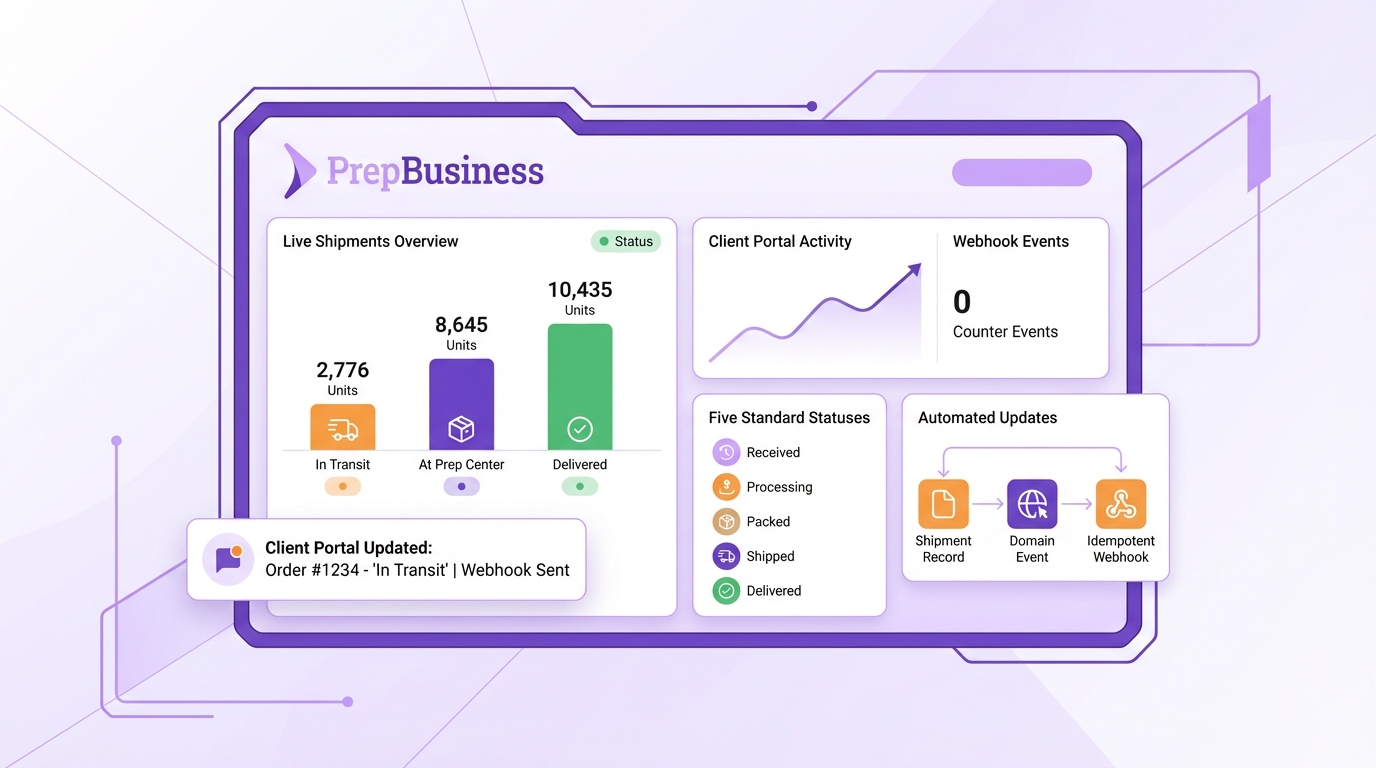
Automating client updates starts with a clear source of truth and a client-visible portal, then adds webhook events so the system publishes change as it happens. Done right, status-chasing disappears. Your team spends the day moving shipments forward, not moving information between tools. The result is quieter inboxes, fewer errors, faster handoffs, and cleaner billing.
Key Takeaways:
- Replace manual status replies with a portal that shows live shipment states and tracking
- Collapse orders, shipments, tracking, and payments into one operational record
- Publish domain events on state changes, with idempotent webhooks and safe retries
- Standardize five client-facing statuses so portal views stay simple and stable
- Record tracking at dispatch inside the shipment record to prevent contradictions
- Quantify the admin tax, then set concrete adoption and SLA targets to measure gains
Why Sending More Updates Makes Things Worse
Audit your inbox load
Pull the last four weeks of client messages and tag any that ask for shipment status, tracking, or billing confirmation. Count by client and by shipment, then note how long it takes to gather proof and reply. You will likely find that every reply spawns another question, because each answer is a snapshot of yesterday’s truth. The more you lean on email, the more narratives drift and the more time you burn validating details across tools.
Make the system the messenger
The fix is to make clients self-sufficient. Point them to a single source of truth, a portal that surfaces current status, carton counts, documents, and tracking beside each shipment. Link the portal in onboarding materials, email footers, and signatures. Reinforce the habit on kickoff calls and in QBRs. Organize your work so the portal reflects reality without human polishing by centralizing updates in one place, such as your shipment organization. The goal is not faster replies. The goal is fewer asks.
Set expectations up front
Clarity makes adoption stick. Tell clients exactly what the portal shows and when it updates. Share a one-page “how we communicate” policy: portal for routine status and tracking, email only for exceptions or approvals. When everyone knows where truth lives, your team avoids context switching and clients know where to look first.
The Real Problem Is Visibility Debt, Not Communication
Map your sources of truth
List everywhere status currently lives: shared sheets, Seller Central views, courier portals, ad hoc side docs, and email threads. For each, note who updates it and which field is considered authoritative. Your aim is to retire shadow records and collapse the work into a single operational record that tracks orders, shipments, statuses, tracking, and payments end to end. When the operational record is clean, the portal can expose it confidently.
Collapse statuses into one operational record
Create the shipment as early as intake, attach SKUs and notes, and keep all updates inside that record as the job moves from receiving to prep to dispatch. Use dedicated tools for the job: centralize intake with shipment creation, then record tracking inside the same record using shipping tracking. Adopt a small set of disciplines that remove copy and paste failure modes:
- Record tracking at dispatch within the shipment record, not in drafts or parallel sheets
- Standardize status names so everyone speaks the same language across teams and clients
- Review exceptions weekly so stuck work does not linger and trigger escalations
When the system holds the chain of custody, the portal shows progress clients can trust.
Quantify The Cost: Status Pings, Context Switching, Billing Drift
Calculate your weekly admin tax
Let us say you ship 100 client shipments each week, and each one generates two routine status pings. At three minutes to confirm and reply, that is 600 minutes, 10 hours, of non value add work per week. That does not include the cognitive drag of switching tools, the interruptions that stall prep, or the rework after miscommunication. Track these numbers explicitly for a month. Decisions get easier when the costs are measured in hours, not feelings.
Model risk and set measurable targets
List your last ten status related mistakes, such as wrong counts, missing tracking, or an invoice that did not match what shipped. Most will trace back to duplicated entry and fractured records. Then set targets that reflect the upside of centralization and visibility:
- Reduce inbound status emails by 60 percent in 60 days
- Reclaim 6 to 10 admin hours per 100 shipments
- Improve SLA adherence by 10 points across key transitions
Tie these goals to your operational truth. When payments sit beside shipments in charges and billing, reconciliation time drops and disputes shrink, which shows up in both morale and cash timing.
Ship A Clear Model: 5 Client-Facing Statuses And Portal UX
Design the 5-state mapping
Translate internal noise into a stable, plain English client view. Map your detailed steps to five client-facing states. Keep the internal sub-steps flexible, while the client labels remain steady:
- Received
- In Prep
- Ready to Ship
- Shipped
- Exception
Build a simple crosswalk, for example, internal “counted” and “labeled” both display as In Prep, cartonized becomes Ready to Ship. The five-state client view keeps things scannable and reduces questions without hiding the truth.
Build timeline and documents UX
On each shipment page, show a timeline with the current state, the last update time, carton counts, and the tracking numbers once dispatched. Keep tracking beside the shipment, not in a separate tab, so context is obvious. Link supporting documents where needed. Tools that provide inventory tracking and shipment tracking make this straightforward because they already maintain location and status in one view.
Handle exceptions with clarity
Not every job flows cleanly. Define exception categories, such as missing items, damage, or carrier delay. Attach simple guidance to each type and display the next expected update time. Trigger targeted notifications only on meaningful state changes or when SLAs are at risk. Clients will accept a pause when the reason and next step are visible without sending an email.
Build The Event Backbone: Webhooks, Idempotency, Retries, Templates
Emit domain events with clear contracts
Publish events from your system of record whenever a shipment transitions. Keep payloads minimal and stable so consumers stay decoupled from internal schemas. Useful signals include:
- Shipment created, received, in_prep, ready_to_ship, shipped
- Exception raised and exception resolved
Each event should carry a unique event_id, shipment_id, account_id, status, occurred_at, and a version number. That version lets downstream services ignore stale updates that arrive late. Scope access carefully so only the right parties can see the right data, guided by your user permissions.
Design idempotent webhooks and safe writes
Use an idempotency key, for example shipment_id plus status plus occurred_at, and require consumers to upsert by event_id. Return a 2xx only after persistence succeeds. Include a monotonically increasing version so integrations never overwrite newer truth with older events. This model lets you replay events safely after planned maintenance or a provider outage, and it prevents duplicate notifications from confusing clients or staff. Align event triggers with the steps already happening on your floor, such as the receiving milestones described in inbound shipments.
Plan for retries, DLQs, and templates that respect attention
Deliver events at least once with exponential backoff and a bounded retry window. Push failed deliveries to a dead letter queue for inspection and build a replay endpoint by event_id or time window. Keep notification templates short and focused on action: status, what changed, and a link back to the portal. Batch non critical changes so you do not create noise during flurries of sub steps. Escalate to a human when exceptions age past SLA or when a client repeatedly replies to notifications with questions. The outcome is reliable automation that respects attention instead of flooding it.
How PrepBusiness Enables Portal + Webhook Automation
Use account scoping and client portals
PrepBusiness makes the system the messenger by design. It gives each customer an account scoped portal so clients see only their own shipments and statuses in real time. Your team assigns work to accounts, then PrepBusiness exposes that truth directly to clients, without staff pulling screenshots or drafting updates. The effect is immediate and measurable: routine inbox traffic drops as clients learn to check the portal first. Account level controls and client account details keep data separated cleanly, which is essential when you add new clients. You do not need a heavy implementation. PrepBusiness mirrors how prep floors actually run, so teams adopt it quickly and clients recognize the value on first login.
Tie tracking and payments to shipments, then add simple ops discipline
Remember that weekly admin tax and the end of month scavenger hunt. PrepBusiness eliminates both by anchoring tracking and payments to the shipment record itself. Dispatch records tracking in the shipment, clients see proof beside status, and billing aligns in charges and billing without reconciliation marathons. PrepBusiness supports small practices that compound, like creating shipments at intake, standardizing status names, and reviewing exceptions weekly. You do not have to overhaul everything on day one. Start with portals and a five state mapping so clients stop asking for basics. Then enable events so PrepBusiness publishes transitions as they happen. The result is a calmer inbox, faster handoffs across receiving, prep, and dispatch, and invoices that match reality. With PrepBusiness, the operational record and the client facing view are the same thing, which is why status chasing disappears and teams reclaim hours for work that moves shipments forward.
Prove It Works: Inbox Reduction And SLA Metrics You Can Track
Track inbound status volume and adoption
Instrument three weekly metrics: total inbound status messages, percent of shipments viewed in the portal per client, and repeat askers. Aim for a 50 to 70 percent reduction within 60 days. If adoption lags, reinforce portal links during onboarding and in notifications, and check whether the portal answers are complete enough to prevent follow ups.
Measure admin hours reclaimed and SLA lift
Translate fewer messages into hours reclaimed by multiplying message count by minutes per response. Track SLA adherence by transition targets, such as time from Received to In Prep and from Ready to Ship to Shipped. Reliability in event publication shows up here. When updates are trustworthy and prompt, work flows, and SLA curves improve across the board. Use inventory tracking to verify stage timing and spot bottlenecks early.
Close the loop with exception analytics
Monitor exceptions by category and average time to resolution. Trigger human follow ups when thresholds are exceeded and share trends with clients in regular reviews. You should see fewer exceptions, faster resolutions, and a quieter inbox. Tools like shipment services help align operational steps with measurable milestones so improvements are clear and repeatable.
Conclusion
Sending more updates feels helpful, yet it multiplies work and confusion when the answers are not visible at the source. A portal that shows live shipment status, tracking, and supporting documents removes the need to ask. Webhook events carry that truth to every consumer without manual effort. Standardizing a five state client view keeps the story simple, while a single shipment record ties operations to billing so month end is an export, not an investigation.
Adopt the model in two moves. First, make the portal the default place to check status, with tracking and payments beside each shipment. Second, emit clear, idempotent events on state changes so automation can do the busywork reliably. The result is fewer errors, fewer messages, faster handoffs, and cleaner billing. Once clients and staff experience answers without asking, you will not want to run updates any other way.
Frequently Asked Questions
How do I set up a client portal for updates?
To set up a client portal for updates, start by choosing a platform that allows you to create a centralized space for clients to view shipment statuses. PrepBusiness can help you build this portal quickly, providing a live view of shipment states and tracking information. Next, gather all relevant data like orders and payments into one operational record. This will ensure clients have easy access to everything they need without having to ask for updates. Finally, make sure to standardize the statuses displayed on the portal to keep it simple and user-friendly.
What if clients still ask for updates?
If clients are still asking for updates after you’ve set up a portal, you might need to ensure they know how to use it. Provide them with clear instructions on accessing the portal and viewing the information they need. You can also send out a notification when a status changes to remind them to check the portal. Additionally, consider using PrepBusiness’s webhook capabilities to automatically notify clients about significant events, making it easier for them to stay informed without having to reach out.
Can I customize the statuses shown in the portal?
Yes, you can customize the statuses shown in the portal. It’s often best to standardize around five key statuses to avoid overwhelming clients with information. You can tailor these statuses to match your operational workflow, ensuring they reflect the most critical points in the shipment process. If you use PrepBusiness, you can easily set these statuses up in the portal, allowing clients to track their shipments without confusion.
When should I review client messages for updates?
You should review client messages regularly, ideally every month, to identify common requests for updates. Pull a report of the last four weeks of messages and tag those that ask about shipment status or tracking. This will give you a clearer idea of how often clients are reaching out for information. By doing this, you can adjust your communication strategy, possibly reducing the need for manual updates by enhancing the client portal with more information or better functionality.
Why does automating updates improve client satisfaction?
Automating updates typically improves client satisfaction because it reduces the need for clients to chase down information. Instead of relying on emails for updates, clients can access real-time information through a dedicated portal. This not only speeds up communication but also reduces errors that can occur with manual updates. With PrepBusiness, you can create a seamless experience for clients, allowing them to get the answers they need without waiting for a response, which often leads to happier and more satisfied clients.